In short
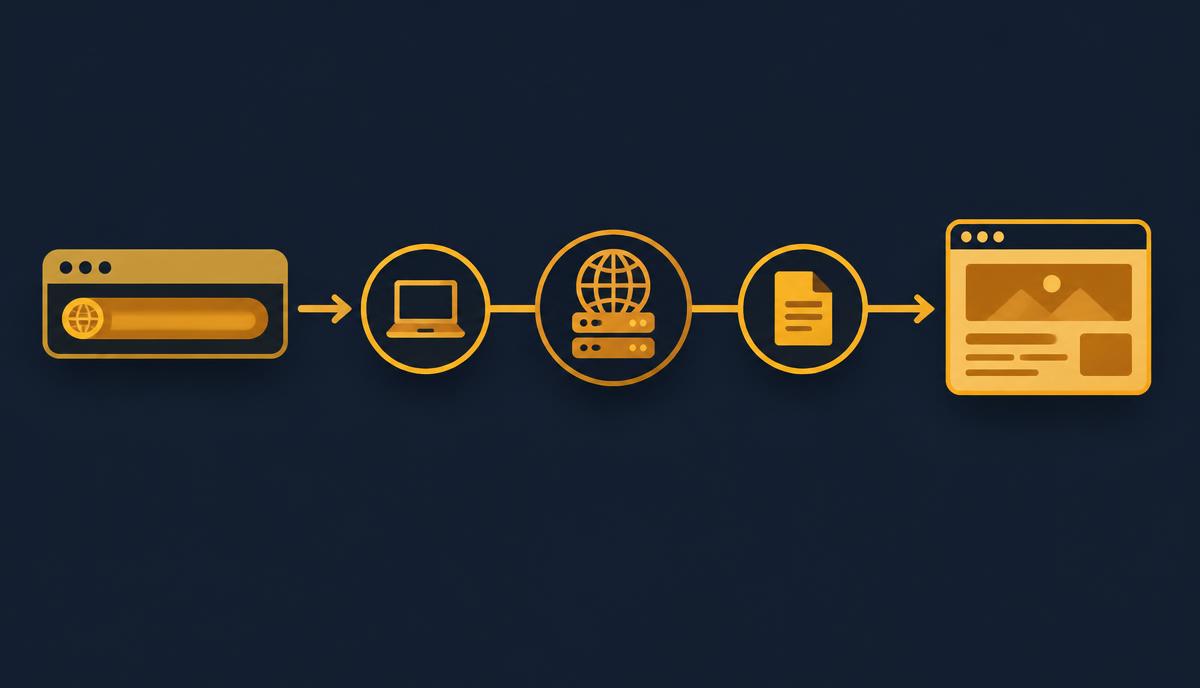
DNS resolution turns a hostname into an IP address by walking a hierarchy — root, top-level domain, authoritative server — through a recursive resolver that caches answers according to each record's TTL. Most lookups never leave the cache, but the ones that do can add hundreds of milliseconds before a single byte of your page is requested.
Every page load begins with a question the browser cannot answer on its own: which machine should receive this request? The Domain Name System exists to answer that question, and it does so through a distributed hierarchy that has stayed fundamentally unchanged since the 1980s while growing to handle trillions of daily queries.
The four participants
A full resolution involves four distinct roles. The stub resolver lives in your operating system and does almost nothing except forward the question. The recursive resolver — run by your network provider or a public service — does the actual legwork and holds the cache that most lookups are served from. The root and top-level domain servers do not know the answer but know who does. The authoritative name server holds the real records for the domain and returns the final answer.
| Participant | Knows | Returns |
|---|---|---|
| Stub resolver | Which recursive resolver to ask | Forwards the query |
| Recursive resolver | Cached answers and how to walk the hierarchy | The final address to the client |
| Root server | Which servers handle each top-level domain | A referral to the TLD |
| TLD server | Which name servers are authoritative for a domain | A referral to the authoritative server |
| Authoritative server | The actual records for the zone | The authoritative answer |
A cold lookup, step by step
- The browser checks its own in-process cache, then asks the operating system stub resolver.
- The stub resolver forwards the query to the configured recursive resolver.
- With nothing cached, the recursive resolver queries a root server, which refers it to the servers responsible for the relevant top-level domain.
- The resolver queries a TLD server, which refers it to the authoritative name servers listed for the domain.
- The resolver queries an authoritative server, which returns the address record.
- The resolver caches the answer for the duration of its TTL and returns it to the client, which can finally open a connection.
That is up to four sequential round trips before any content is requested. On a well-connected desktop each hop might cost 20 milliseconds; on a high-latency mobile connection the same sequence can exceed 400 milliseconds. This is why DNS shows up inside time to first byte and, indirectly, inside Largest Contentful Paint.
Record types you will actually meet
| Type | Purpose | Typical use |
|---|---|---|
| A | Maps a hostname to an IPv4 address | Pointing a domain at a server or load balancer |
| AAAA | Maps a hostname to an IPv6 address | Dual-stack hosting |
| CNAME | Aliases one hostname to another | Pointing a subdomain at a managed platform |
| MX | Names the mail servers for a domain | Email delivery routing |
| TXT | Holds arbitrary text | Domain verification, SPF and DKIM policy |
| NS | Delegates a zone to name servers | Handing a subdomain to another provider |
One constraint catches people out repeatedly: a CNAME cannot coexist with other records at the same name, which is why a bare apex domain usually cannot be a CNAME. Providers work around this with proprietary flattening — ALIAS or ANAME records — that resolve the target server-side and answer with an A record.
TTL: the trade-off nobody tunes
Every record carries a time to live, the number of seconds a resolver may reuse the cached answer. TTL is a straight trade between speed and agility. Long TTLs mean more cache hits, fewer authoritative queries and faster average lookups; they also mean a change takes that long to reach everyone.
Cache hit ratio at a busy recursive resolver by record TTL
% queries served from cache
Modelled from queueing assumptions at a resolver seeing steady query volume for a popular hostname; illustrates the shape of the relationship rather than a measured dataset.
The standard operational pattern is to lower the TTL to 60–300 seconds a day or two before a planned migration, perform the change, confirm propagation, then raise it back. Note that resolvers are permitted to ignore very low TTLs, and some enforce their own floor, so a short TTL is a request rather than a guarantee.
Encrypted DNS and where it changes things
Classic DNS travels in plaintext over UDP port 53, visible to anyone on the path. DNS over TLS and DNS over HTTPS wrap the same queries in an encrypted channel to the resolver. Both protect the query in transit and prevent trivial on-path tampering; neither hides the destination from the resolver itself, and the subsequent connection still reveals the destination address.
Using a public encrypted resolver
Pros
- Query contents are not readable by others on the local network.
- Public resolvers often have large caches and wide server footprints, reducing cold-lookup latency.
- Harder for intermediaries to inject or redirect answers.
- Consistent behaviour across networks, useful when travelling.
Cons
- You transfer visibility of your full browsing pattern to the resolver operator.
- Bypasses local network policy, including some parental and enterprise controls.
- Geographic answers can be less accurate, occasionally routing you to a distant CDN node.
- Troubleshooting is harder when the resolver is outside your control.
When DNS is the actual problem
DNSSEC and answer integrity
Everything described so far assumes the answers coming back through the hierarchy are honest. Classic DNS has no way to verify that, which leaves it open to cache poisoning: an attacker who can guess or intercept a query's transaction details can inject a forged answer that a resolver will happily cache and serve to every subsequent client. DNS Security Extensions address this by attaching a cryptographic signature to each zone's records, generated with a private key held by the zone's operator and verifiable with a public key published in the parent zone.
A validating resolver follows this chain of trust upward from the record it received to the root, checking each signature along the way. If any link fails to verify, the resolver returns an error rather than the unverified answer, even if that answer would otherwise have looked plausible. This closes the specific hole that made cache poisoning practical, though it does not encrypt anything — DNSSEC is about authenticity, not confidentiality, which is why it is complementary to, rather than a substitute for, DNS over TLS or DNS over HTTPS.
Adoption has been slower than the specification's age would suggest, partly because a misconfigured signature can take a zone offline rather than degrading gracefully. Even so, most large top-level domains now sign their records, and major public resolvers validate signatures by default.
Anycast: one address, many locations
Large-scale DNS infrastructure, including the root servers and most major public resolvers, is not a single machine but the same IP address announced from dozens or hundreds of physical sites using a routing technique called anycast. Internet routing naturally directs a query to whichever announcing site is topologically closest to the sender, so two people on different continents querying the same address are actually answered by two different, nearby servers without either of them configuring anything differently.
This matters for both speed and resilience: it shortens the physical distance a query travels, and the loss of any single site is invisible to users since traffic is simply routed to the next-nearest announcing location.
- A large gap between navigation start and connection start in a waterfall points squarely at resolution time.
- Intermittent failures affecting only some users usually mean inconsistent records across authoritative servers.
- Changes that 'work for me' but not for others are almost always TTL propagation, not a broken record.
- Slow first loads on mobile with fast repeat loads suggest a cold lookup on a high-latency link.
For third-party domains you do not control, the practical mitigation is to warm the lookup early with a resource hint so resolution overlaps with work the browser is already doing, rather than blocking a later request.
What to remember
- Resolution walks a hierarchy: recursive resolver, root, TLD, authoritative.
- A cold lookup can cost four round trips before any content is requested.
- Caching at multiple layers means most real lookups never reach an authoritative server.
- TTL trades propagation speed against cache efficiency; lower it before planned changes.
- Encrypted DNS protects the query in transit but shifts trust to the resolver operator.
Sponsored video
AdvertisementChecking for a video ad…
How to move a domain to a new host without downtime
A sequence that keeps the site reachable throughout by preparing caches before the change rather than after it.
Step 1. Lower the TTL in advance
Reduce the TTL on the records you intend to change to 300 seconds, and wait at least the length of the previous TTL so old cached copies expire.
Step 2. Stand up the new host first
Deploy and verify the new environment using its own address or a temporary hostname, so the destination is proven correct before any traffic is redirected.
Step 3. Match certificates and hostnames
Issue the TLS certificate for the production hostname on the new host ahead of the switch to avoid a certificate error the moment traffic arrives.
Step 4. Change the records
Update the A, AAAA or CNAME records at the authoritative provider. With a short TTL in place, most resolvers pick up the change within minutes.
Step 5. Verify from multiple networks
Query several independent resolvers and confirm all return the new address, then check the site over mobile and fixed connections.
Step 6. Restore the TTL and decommission
Raise the TTL back to its normal value, keep the old host serving for at least a day to catch stragglers, then retire it.
Frequently asked questions
Sources
About the author
Michael Adeyemi — Senior Technology Writer
Michael writes Inquro's computing and web-infrastructure coverage. He worked for eight years as a platform engineer on high-traffic content systems before moving into full-time technical explanation, and he still prototypes every measurement described in his articles before publishing the numbers.
- Qualifications
- MSc, Distributed Systems — University of Manchester
- BEng, Computer Engineering — University of Lagos
- Experience
- Eight years as a platform engineer on high-traffic content delivery systems
- Four years writing standards-based technical documentation
- Subject areas:
- Web performance, Networking, Systems architecture
- Contact:
- michael@inquro.example
Reviewed for factual accuracy by Dr. Rina Halvorsen, Editor-in-Chief (PhD, Cognitive Science), on 15 July 2026.
Structure, claim strength and whether an explanation actually answers the question a reader arrived with.
Inquro articles are commissioned, sourced, reviewed and re-checked under a published editorial policy. Corrections are made in place and dated — write to editorial@inquro.example if you find an error.