In short
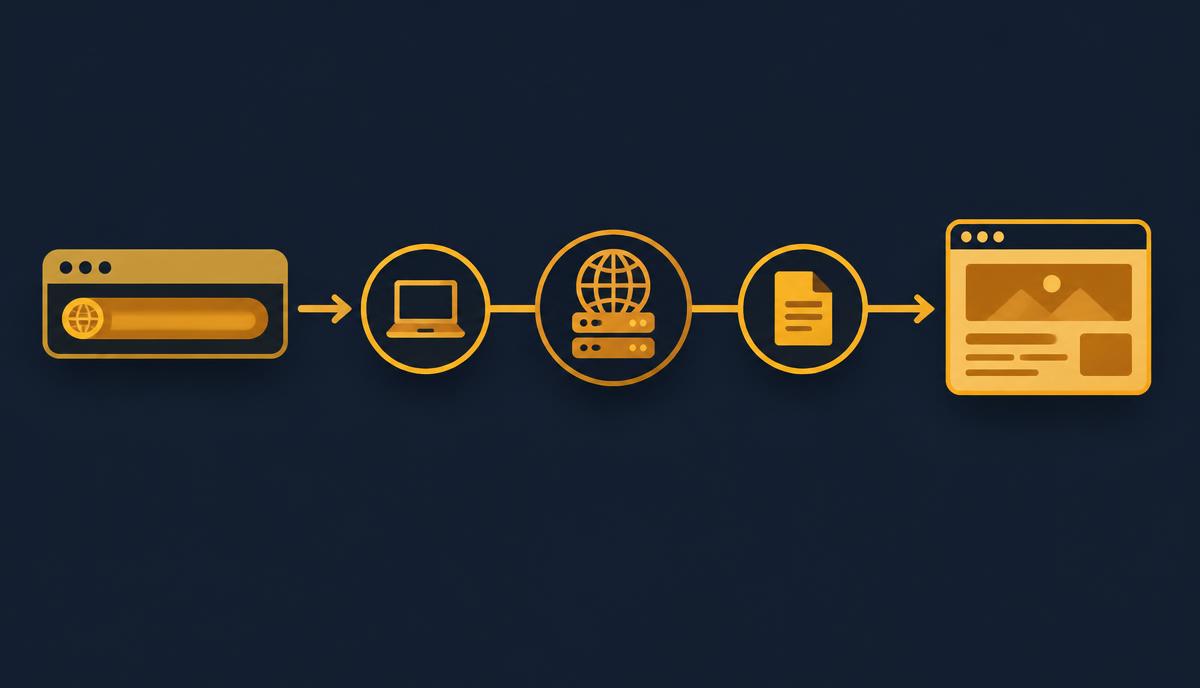
Typing a URL and pressing Enter triggers a strict sequence: the browser interprets the text, resolves a hostname to an address, opens a secured connection, exchanges an HTTP request and response, and then parses, lays out and paints the result. Each stage has its own latency cost, and understanding the order explains most of what makes one page feel fast and another feel slow.
It is one of the most common interview questions in web engineering precisely because the honest answer touches nearly every layer of the stack: input parsing, name resolution, transport and security protocols, an application-layer request, and a rendering pipeline with its own internal stages. None of it is exotic individually, but the sequencing and the latency each step adds is what separates a page that feels instant from one that feels sluggish.
1. Interpreting what was typed
Before any network activity, the browser has to decide what the typed text actually means. If it looks like a well-formed URL it is used directly; if it looks like a search term, the configured default search engine's URL is constructed instead. Browsers also apply heuristics for bare words that could be either — typing 'localhost' is treated as a host, while 'weather london' is treated as a search — and this interpretation happens in the browser's UI process, not a web page.
Many browsers also check an internal list of preloaded HSTS hosts and a local cache of recent navigations before doing anything else, which is why some addresses redirect to HTTPS instantly with no visible network delay at all.
2. DNS resolution
The browser needs an IP address for the hostname. It checks, in order, its own in-memory DNS cache, the operating system's resolver cache, and then — if neither has a fresh answer — issues a query to a configured recursive resolver, which itself may need to walk the domain hierarchy from the root down through the top-level domain to the authoritative name server if it has no cached answer of its own.
A cold lookup with no caching anywhere in the chain can take well over one hundred milliseconds; a cached answer can return in under a millisecond. This is the single largest source of variance in the early part of a page load, which is why DNS prefetching and long, sensible TTLs matter so much for perceived speed.
3. Opening a TCP connection
With an IP address in hand, the browser opens a transport connection to the server, almost always on port 443 for HTTPS. Classic TCP requires a three-way handshake — SYN, SYN-ACK, ACK — which costs one full round trip before any application data can move. Where the server supports HTTP/3, this step is replaced by a QUIC handshake running over UDP instead, which folds transport and security negotiation together and typically needs only a single round trip even on a fresh connection.
4. The TLS handshake
For an HTTPS site the browser now negotiates encryption: agreeing a cipher suite, verifying the server's certificate chain against a trusted root, and deriving shared keys. TLS 1.3 does this in a single round trip, and a returning visitor with a valid session ticket can sometimes skip most of the cryptographic work entirely through resumption. The mechanics of this step are covered in detail in Inquro's explainer on the TLS handshake.
| Stage | Round trips | Typical added latency |
|---|---|---|
| DNS resolution (cold) | 1–several | 20–120 ms |
| TCP handshake | 1 | ~60 ms |
| TLS 1.3 handshake | 1 | ~60 ms |
| HTTP request/response (first byte) | 1 | 60 ms + server processing |
| HTML parsing to first paint | 0 (local) | Varies with document size and blocking resources |
5. Sending the HTTP request
Once the secure channel exists, the browser sends an HTTP request: a method, the requested path, and headers describing the client, accepted content types, cookies and caching state. The server processes the request — which might mean serving a static file, querying a database, or assembling a response from several internal services — and returns a status code, response headers and a body, most often HTML for the first request of a navigation.
The time between the request being sent and the first byte of the response arriving is called Time to First Byte, and it is one of the most direct measures of server-side and network performance combined, independent of anything the browser does afterwards.
6. Parsing HTML and building the DOM
As HTML bytes arrive, the browser's parser incrementally builds the Document Object Model, a tree representation of the page's structure. Parsing is not a simple sequential read: encountering a script tag without async or defer pauses HTML parsing until that script has been fetched and executed, which is one of the most common self-inflicted causes of a slow first render.
In parallel, the browser discovers and requests other resources referenced in the markup — stylesheets, fonts, images and additional scripts — using a preload scanner that runs ahead of the main parser specifically to start these fetches earlier than a strictly sequential parse would allow.
7. Building the render tree, layout and paint
CSS is parsed into the CSSOM, and the DOM and CSSOM are combined into a render tree containing only the nodes that will actually be visible, with their computed styles attached. The browser then performs layout, calculating the exact position and size of every box, and finally paint, converting the layout into actual pixels, often across several composited layers that the GPU can update independently for smoother scrolling and animation.
- Parse HTML into the DOM as bytes arrive.
- Parse CSS into the CSSOM, blocking rendering until it is complete.
- Combine DOM and CSSOM into the render tree of visible nodes.
- Compute layout: exact geometry for every visible box.
- Paint pixels and composite layers to the screen.
Illustrative page load timeline
Milliseconds from navigation start
Figures are illustrative for a typical article page on a broadband connection; actual timings vary widely with server location, caching state and page complexity.
8. Executing JavaScript and becoming interactive
Scripts run as they are encountered, unless deferred or made async, and can modify the DOM and CSSOM, potentially triggering further layout and paint work. A page is generally considered interactive once its main thread is free to respond to user input promptly, which is why heavy, unoptimised JavaScript can leave a page looking visually complete while still failing to respond to a tap or click — the gap measured by metrics such as Interaction to Next Paint.
Why the order matters for performance work
Because each stage depends on the one before it, an improvement applied to a later stage cannot compensate for a slow earlier one: shaving milliseconds off JavaScript execution is wasted effort if DNS resolution alone is taking a third of a second. This is why performance audits generally work through the pipeline in order — network and connection setup first, then server response time, then parsing and rendering, then script execution — rather than optimising whichever stage happens to be easiest to change.
Key points
- The browser first interprets the typed text, then resolves a hostname to an address via DNS before any connection exists.
- TCP and TLS handshakes are sequential round trips that must complete before the HTTP request can even be sent, unless HTTP/3 collapses them.
- Time to First Byte measures server and network delay independent of anything the browser does with the response.
- Rendering proceeds through DOM parsing, CSSOM parsing, render tree construction, layout and paint, largely in that order.
- Caching at any layer — DNS, connection, or asset — can skip entire stages of this pipeline on repeat visits.
Sponsored video
AdvertisementChecking for a video ad…
Frequently asked questions
Sources
- Populating the page: how browsers work — Mozilla Developer Network
- RFC 8446: The Transport Layer Security (TLS) Protocol Version 1.3 — IETF
- Critical Rendering Path — web.dev (Google)
- Time to First Byte (TTFB) — web.dev (Google)
About the author
Michael Adeyemi — Senior Technology Writer
Michael writes Inquro's computing and web-infrastructure coverage. He worked for eight years as a platform engineer on high-traffic content systems before moving into full-time technical explanation, and he still prototypes every measurement described in his articles before publishing the numbers.
- Qualifications
- MSc, Distributed Systems — University of Manchester
- BEng, Computer Engineering — University of Lagos
- Experience
- Eight years as a platform engineer on high-traffic content delivery systems
- Four years writing standards-based technical documentation
- Subject areas:
- Web performance, Networking, Systems architecture
- Contact:
- michael@inquro.example
Reviewed for factual accuracy by Dr. Rina Halvorsen, Editor-in-Chief (PhD, Cognitive Science), on 14 February 2026.
Structure, claim strength and whether an explanation actually answers the question a reader arrived with.
Inquro articles are commissioned, sourced, reviewed and re-checked under a published editorial policy. Corrections are made in place and dated — write to editorial@inquro.example if you find an error.